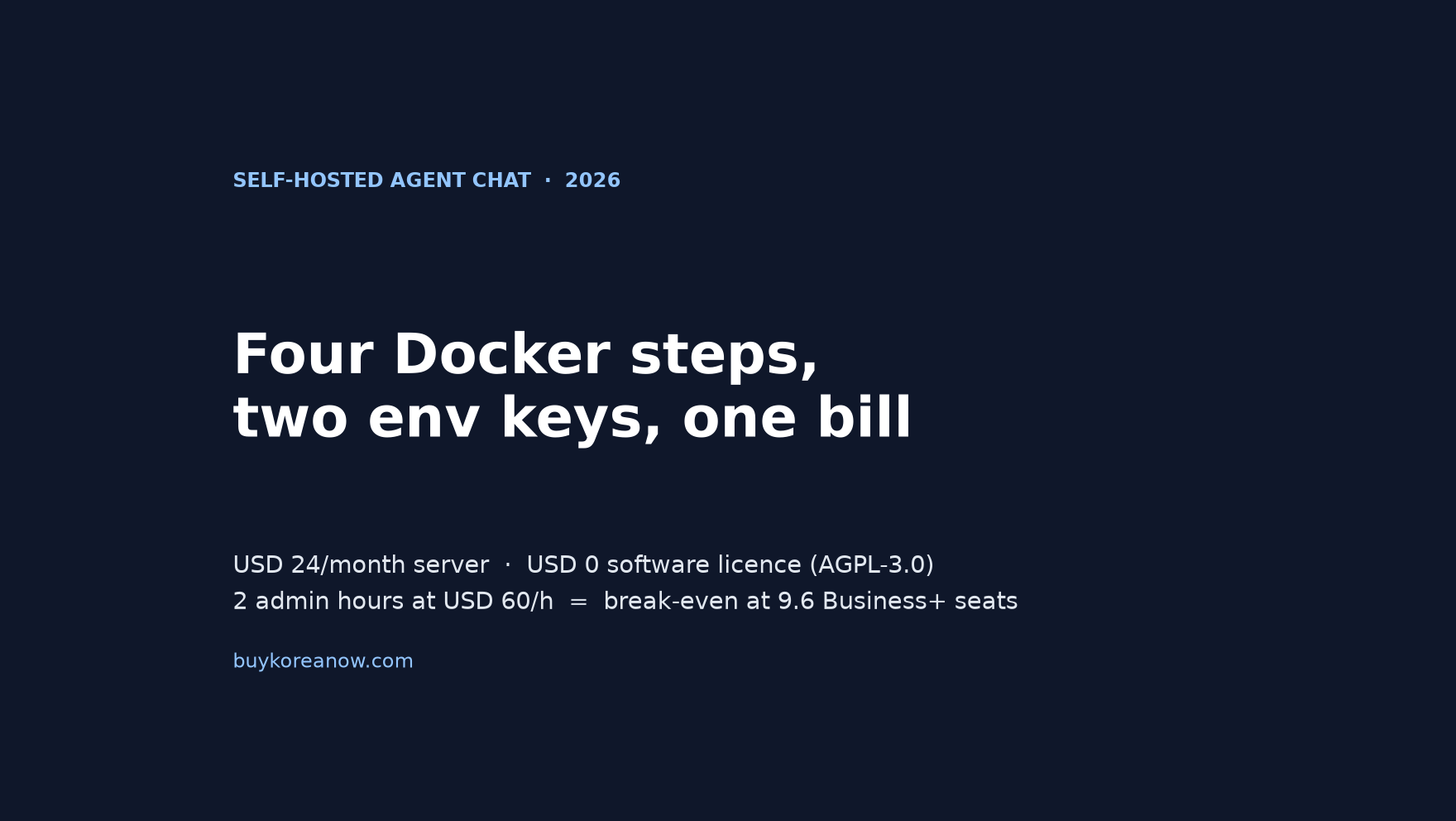
Short answer: agentes.chat is a self-hosted Slack alternative where AI agents join as workspace members, and it goes up in four steps on one Linux box — one installer line, two required environment keys, one network profile, one backup bucket. The software is USD 0 under AGPL-3.0. The server is USD 24 a month. Price two admin hours at USD 60 and the real floor is USD 144, which breaks even with Slack Business+ at 9.6 seats.
Four copy-ready blocks: install, env, profile, backup
copy-readyPaste each block on the Linux server. Names and values are the ones the project’s own self-hosting guide uses; swap the hostname for yours.
curl -fsSL https://agentes.chat/install | sh
# answers: Tailscale -> paste tskey-auth-... ; email -> skip
# done when it prints: agentes.chat <version> is upDATABASE_URL=postgres://agentes:CHANGE_ME@localhost:5432/agentes
AGENTES_SECRET=$(openssl rand -base64 48)
PUBLIC_URL=https://agentes.tail1234.ts.net# tailnet: private HTTPS, no domain, no open port (default)
COMPOSE_PROFILES=tailscale
# public domain: Caddy + Let's Encrypt on 80/443
COMPOSE_PROFILES=https
DOMAIN=chat.example.comCOMPOSE_PROFILES=tailscale,backup
S3_BACKUP_BUCKET=agentes-backups
BACKUP_RETENTION_DAYS=14
docker compose run --rm backup now
docker compose pull && docker compose up -dVariable names, defaults and commands as published in the project’s SELF_HOSTING.md on 16 November 2026.
Two containers and a Postgres database: that is the whole server. The installer is a single line and it prints its own address when it finishes. What decides whether this saves money is not the install. It is the three choices after it — which origin you serve, who can reach the network, and whether the one secret that unlocks every stored API key survives your first restore.
What the four steps actually produce
The project pitches itself as an open-source Slack alternative where agents are members of the workspace rather than a sidebar bot. Each agent carries a role, an owner and a monthly budget, and anything a connector marks sensitive waits for a person's approval as a card in the chat. That is the product claim. The deployment underneath it is smaller than the claim suggests.
The compose file defines six services. Two of them are required on day one.
| Service | What it is | When it runs | What it adds to the bill |
|---|---|---|---|
| app | ghcr.io/agentes-chat/agentes — one Bun process serving the web app, the API, the WebSockets and the background workers | Always | Runs on the droplet |
| postgres | pgvector/pgvector:0.8.7-pg18, data kept in the pgdata volume, migrations applied on boot | Always | Same droplet |
| tailscale | Private HTTPS at agentes.<tailnet>.ts.net with a real certificate, no domain and no open port | Default profile | USD 0 on Personal, up to 6 users |
| caddy | Let's Encrypt certificate for your DOMAIN, ports 80 and 443, http redirected to https | https profile | Your own domain |
| backup | pg_dump at 03:00 UTC to an S3-compatible bucket, 14-day retention | Optional | Bucket storage |
| speech | NVIDIA Parakeet voice transcription, about 1 GB pull, defaults to 4 CPUs and 4 GB | Optional | Droplet headroom |
| embeddings | Qwen3-Embedding-0.6B, about 1.2 GB on first start, defaults to 2 CPUs and 3 GB | Optional | Droplet headroom |
Read the last three rows before you size the machine. The documented starting point is 2 vCPUs, 4 GB of RAM and 20 GB of disk, and the guide says outright that sizing has not been measured yet. When I read the compose file I noticed the optional services are not small: local speech and local embeddings ask for 6 CPUs and 7 GB between them. That is a real difference for the solopreneur running one 4 GB droplet and paying for it personally.
What surprised me was where the sharp edges sit. The install is routine. The origin string is not.
Step 1: one line, three requirements, two gigabytes
The shell call is a single command, and the installer is honest about what it does before it does it. It starts Docker when it is stopped and installs it when it is missing, each time after asking. On a Mac it reaches for Colima and Homebrew instead. Then it hands over to a setup program that runs in /opt/agentes, writes .env with generated secrets readable only by you, downloads the compose file, joins the tailnet, starts the app and waits for the certificate and /api/health.
Three requirements decide whether the ten minutes hold. A 64-bit Linux server, amd64 or arm64. Docker Engine with the Compose v2 plugin at 2.23.1 or newer. Outbound HTTPS to whichever model providers your team will use. Nothing else, because the installer fetches the Bun runtime it needs.
| Requirement | What the documentation states | How you confirm it on the box |
|---|---|---|
| Server | 64-bit Linux, amd64 or arm64; 2 vCPU, 4 GB RAM, 20 GB disk as a starting point, sizing not measured | uname -m and free -m |
| Docker | Docker Engine with the Compose v2 plugin, 2.23.1 or newer; the installer adds it after asking | docker compose version |
| Network | A Tailscale account for the default profile, or a domain plus ports 80 and 443 for a public one | tailscale status, or dig on your DNS |
| Egress | Outbound HTTPS to the model providers and any optional service you enable | curl to the provider's API host |
| Disk headroom | About 2 GB for the first image pull, plus the files volume and a growing database | df -h |
The first run downloads roughly 2 GB, and the guide budgets about ten minutes for the whole thing on a prepared machine. The agents' computer, when you make the server its own, takes a few minutes more.
Step 2: two required keys and one origin that fails sign-in
Two variables are required, and only two. DATABASE_URL is a PostgreSQL connection string; the compose file builds it from POSTGRES_PASSWORD and the local service name. AGENTES_SECRET is the master secret, generated with openssl rand -base64 48. Both session signing and the key that encrypts stored provider credentials derive from that one value.
That last sentence is the whole backup argument. Change AGENTES_SECRET and every stored model key, connector token and mailbox password becomes unreadable. Lose it and a perfect dump restores into a server that has forgotten how to think.
PUBLIC_URL is not required by the schema in the same sense, but it is the value that breaks first. It must be the exact address people open, scheme, host and port included. Sign-in cookies, the single browser origin allowed to write, and every link the app sends are derived from it. Open the same instance at a different address and sign-in fails with "Invalid origin" while saving fails with bad_origin. The fix is EXTRA_TRUSTED_ORIGINS, comma-separated, with PUBLIC_URL still trusted.
| Symptom | What it means | Fix |
|---|---|---|
| Sign-in fails with "Invalid origin" | The browser's address is not PUBLIC_URL and is not listed in EXTRA_TRUSTED_ORIGINS | Correct PUBLIC_URL, or add the address to EXTRA_TRUSTED_ORIGINS and restart |
| Saving fails with bad_origin | Same origin mismatch, this time on a write from a second hostname | Add the second origin, comma-separated, scheme and port included |
| app.config in the setup's failure list | The app refused a value in .env, and the error names it | Fix the named variable and run the setup again; it keeps your answers |
| port | Another program already holds 3000, or 80 and 443 for a public domain | Set HOST_PORT=3001 in .env, or stop the other program |
| tailscale.serve or tailscale.cert | The HTTPS proxy or its certificate did not come up | docker compose logs tailscale; Let's Encrypt rate limits one name after many tries |
Step 3: choose the door before you invite anyone
The default install puts the server on your tailnet at a .ts.net name with a real certificate. No domain, no open port, nothing on the public internet. It is the right default for a small team and it hides one operational trap: everyone you invite needs to be able to reach that network.
“People you invite need your tailnet too: invite them at console.tailscale.com (Invite users), or share only this server with their tailnet.”
The project's self-hosting guide, SELF_HOSTING.md
A contractor on a different tailnet, or a client who will not install a VPN client, cannot open the tailnet URL. Tailscale's free Personal plan covers up to 6 users, which is the same ceiling as the default free profile on the chat side. Past that, the honest answer is the other door.
For a public instance the sequence matters more than the settings. Create the owner account first, over localhost or an SSH tunnel, because the first sign-up becomes the owner and sign-up closes afterwards. Then point DNS at the box, open 80 and 443, set COMPOSE_PROFILES=https and DOMAIN, and let Caddy fetch and renew the certificate. Invitations come last.
| Profile in COMPOSE_PROFILES | Who can open it | What you have to own | When it wins |
|---|---|---|---|
| tailscale (setup default) | Devices signed in to your tailnet, or tailnets the server is shared with | A Tailscale account; free up to 6 users | A small team that wants zero public attack surface |
| https | Anyone on the internet with the URL | A domain, ports 80 and 443, Caddy's certificate volume | Contractors, clients, or more than 6 people |
| (neither) | This machine only, on port 3000 | Nothing | Trying it before you decide |
Step 4: backups are three objects, and the secret is not one of them
An instance is three things: the database, the files volume, and AGENTES_SECRET. The guide is blunt about keeping the third apart from the dumps, because anyone who holds both can read every stored key. A dump without the secret restores a server that can no longer talk to any model provider.
The backup service is one more profile. Add backup to COMPOSE_PROFILES, give it an S3-compatible bucket and a key that can read, write and delete there, and it dumps the whole database at 03:00 UTC, deleting anything older than BACKUP_RETENTION_DAYS, which defaults to 14. Set BACKUP_INTERVAL_HOURS=6 for four dumps a day, or 1 for hourly, and keep the retention short enough that the bucket stays small. Optional age encryption puts only a public key on the server, so the bucket key alone cannot read a dump.
Upgrades are a re-download and a restart. Take the compose file again, then docker compose pull followed by docker compose up -d; migrations run on boot. Pin AGENTES_IMAGE to a tag or a digest when you need a version to hold still, and take a dump before a large jump, because rolling back is the previous pin plus that dump.
The honest bill: USD 24 is not the number
Slack publishes its list prices and DigitalOcean publishes its droplet prices, so the cash comparison needs no estimates. Pro is USD 8.75 a seat billed monthly and USD 7.25 billed annually. Business+ is USD 18.00 monthly and USD 15.00 annually. A Basic droplet with 4 GiB of RAM and 2 vCPUs, which is the size the guide suggests as a starting point, is USD 24.00 a month.
Set the two side by side and the box looks unbeatable. It is flat while seats multiply, and the software licence is zero.
| Monthly cash | 5 seats | 10 seats | 25 seats |
|---|---|---|---|
| Slack Pro, annual price | $36.25 | $72.50 | $181.25 |
| Slack Business+, annual price | $75.00 | $150.00 | $375.00 |
| Self-hosted server only | $24.00 | $24.00 | $24.00 |
| Self-hosted + 2 admin hours at USD 60/h | $144.00 | $144.00 | $144.00 |
The fourth row is the one that decides the question. Server plus two hours of your time is USD 144 a month. That breaks even with Business+ at 9.6 seats and with Pro at 19.9. At five seats, Business+ at USD 75 beats the box by USD 69, and at ten seats the box wins by USD 6, which is not a margin I would call a saving.
Money is only half of it. Model spend stays with you and belongs to each organization, since every organization adds its own provider keys in the app's settings. The software checks an agent's monthly budget before every call and records the cost per agent, which is better than a surprise invoice, but it does not cap the model bill for you. If your agents run hard, the token line is the biggest number on the page and the server is the decoration.
The cost difference narrows further once the optional pieces arrive. A public domain means a registrar and a DNS record. Hourly backups mean bucket storage. And the free tailnet ends at 6 users, so a team of nine is choosing between a paid Tailscale plan and the https profile.
The Honest Catch: who should buy the seats and who should skip the box
The licence is the easiest part to get right. Self-hosting this codebase is free forever on a server you own — AGPL-3.0, no licence key, no seat count, no upgrade gate. The decisive reason to pick it is that sentence, not the install.
So who should buy the seats instead? Under nine seats, and I would say that plainly. The seats are a cheaper alternative until you price your own hours, and at five seats the arithmetic is not close. An agency that bills its own time has no reason to spend two hours a month on Postgres upgrades to save USD 69.
Second, anyone who intends to modify and redistribute it. The licence is AGPL-3.0 with no licence key, and the project's own notice says that changing it without publishing your changes, or reselling it under your own brand, takes a commercial licence. Read that page before you plan a white-label product on top of it.
Third, a team with nobody on call. There is no support contract behind a repository licence. The guide, the issue tracker and the discussions are the support, and they are good, but they do not wake up at 3 a.m. when the container will not start.
None of this is a reason to avoid the software. It is a reason to count the seats before you count the savings: a one-person studio with two contractors is buying seats, and a ten-person team with heavy agent use is buying a server.

Frequently asked questions
How long does a self-hosted agent chat server take to install?
About ten minutes on a prepared Linux server, and the first run downloads roughly 2 GB. The installer installs Docker when it is missing (after asking), writes the .env, starts Tailscale, waits for the certificate and the health endpoint, and finishes with the address to open.
What are the required settings for agentes.chat self-hosting?
Two are required: DATABASE_URL, a PostgreSQL connection string, and AGENTES_SECRET, which you generate with openssl rand -base64 48. The secret signs sessions and derives the key that encrypts every stored provider API key, so back it up and never change it casually.
Why does sign-in fail with "Invalid origin"?
PUBLIC_URL does not match the address in the browser bar, scheme, host and port included. Sign-in cookies, the one browser origin allowed to write, and every link the app sends all come from that value. Add other addresses to EXTRA_TRUSTED_ORIGINS as a comma-separated list; saving from those addresses otherwise fails with bad_origin.
Can people outside my Tailscale network use it?
Not on the default profile. The tailnet install is reachable only by devices signed in to your tailnet, so each person you invite needs a tailnet user or a share of this server. Tailscale's free Personal plan covers up to 6 users; a larger team picks the https profile with a domain instead.
What happens to the server when the Tailscale key expires?
It leaves the tailnet after 180 days unless the tailnet says otherwise, and the setup prints that date when it finishes. Disable key expiry for that machine in the Tailscale admin console, or add the server with an OAuth client secret, which never expires.
Is a self-hosted chat server cheaper than Slack?
In cash, a USD 24 server breaks even with Slack Business+ at 1.6 seats and with Pro at 3.3. Add two admin hours at USD 60 and the floor becomes USD 144 a month, which breaks even at 9.6 Business+ seats or 19.9 Pro seats. Under about nine people the seats usually win.
The same arithmetic runs through the rest of the stack. The Slack seat-versus-agent-message teardown prices the bill you are trying to escape, the annual-prepay breakeven calculator covers what a twelve-month commitment does to these columns, and the Supabase row-level-security audit covers the part of self-hosting that bites after the server is up: a database you now own the permissions of.
Methodology & Disclosure: Commands, variable names, defaults and requirements were read on 16 November 2026 from the project's repository, its self-hosting guide and its commercial licence notice. Prices were read the same day from slack.com/pricing, the DigitalOcean droplet price list and tailscale.com/pricing. Two admin hours a month at USD 60 an hour is a modelling assumption, not a measurement, and it is the input that moves the answer most. Every figure and the chart are generated by scripts/make_agentes_playbook_figures_20261116.py from data/agentes_selfhost_playbook_20261116.json, so no number in a table was typed by hand.
No first-person production testing is claimed and no vendor paid for placement. This article documents a documented install path, not a server we run. Any partner link on this publication carries rel="sponsored nofollow". Review rules live in the Editorial Methodology and verified corrections are logged in the Corrections Log.
Leave a Reply